
Jun12
Museum visit
2 tickets · 14:00
Added to your calendar
Personal planning
Keep your calendar, make appointments, find and book holidays and days out, on your own computer and with your own accounts.

For your laptop or desktop
Tjess sits next to your laptop or desktop and operates it with a keyboard and mouse, just like you. No integrations, no complicated software: you ask in the Tjess app or over Signal, and Tjess gets to work.
Artist impression. Design may change.

For many people and companies, the step to AI agents is a big one. Cloud, integrations, workflows: it stays abstract. A box that operates your computer is something everyone gets. Put it on your desk and just ask.
Tjess operates an ordinary computer with a keyboard and mouse. To websites and apps it is simply a user: it gets to places where most other bots are stopped, and sees fewer CAPTCHAs. If a site still asks for a CAPTCHA or a login code, Tjess asks you to lend a hand.
Machines, legacy systems and locked-down workstations where you cannot or may not install software. Tjess only needs the computer, the way a person uses it. That makes it interesting for industry, cybersecurity and compliance.
Use cases
Much of what you do yourself with a keyboard and mouse, Tjess can take over. This is where we start.
2 tickets · 14:00
Added to your calendar
Keep your calendar, make appointments, find and book holidays and days out, on your own computer and with your own accounts.

Awaiting your approval
Find products, compare prices and order, straight from the shop. Tjess puts the best options in front of you and only checks out once you approve.

Fresh from the oven.
Tomorrow · 08:00
Everything that comes with it: posting, replying to comments and DMs, following mentions, keeping a content calendar and collecting the numbers. On your own accounts, in your own voice.

Send this photo to Emma.
Put Tjess next to your (grand)parents’ computer. They simply ask, Tjess does it: book an appointment, fill in a form, share photos. Nobody has to explain over the phone where to click any more.

Your brand in AI answers
See how your brand appears in the AI answers of search engines and chatbots, exactly as a real visitor sees it. Without a subscription to an expensive GEO service.

Supplier portal
Login code confirmed
14 invoices retrieved
Collect information from websites and portals, even behind a login with two-factor authentication. Tjess simply asks you for the code.

Timesheet
14 hours entered
The dull, repetitive tasks your employer hasn’t automated (yet): copying data, pulling reports, filling in forms.

Checkout test
Have Tjess walk through your checkout, sign-up form or app like a real customer, on a real computer. You see where people get stuck, before they give up.

Production count · Line 2
00736
Reading saved
Some machines can only be operated from the old computer they came with. Tjess can read the production count on that screen without installing extra software. In our own test setup, a Tjess prototype operates a 2009 iMac.

Print queue
Notification sent
Tjess watches a dashboard, queue or machine screen and messages you as soon as something changes or goes wrong.

Legacy inventory
A-104 · Ball bearingNew system
A-104 · Ball bearingItem transferredOld software without an export? Tjess reads the data off the screen and moves it into your new system, record by record.
Audit log
Read only
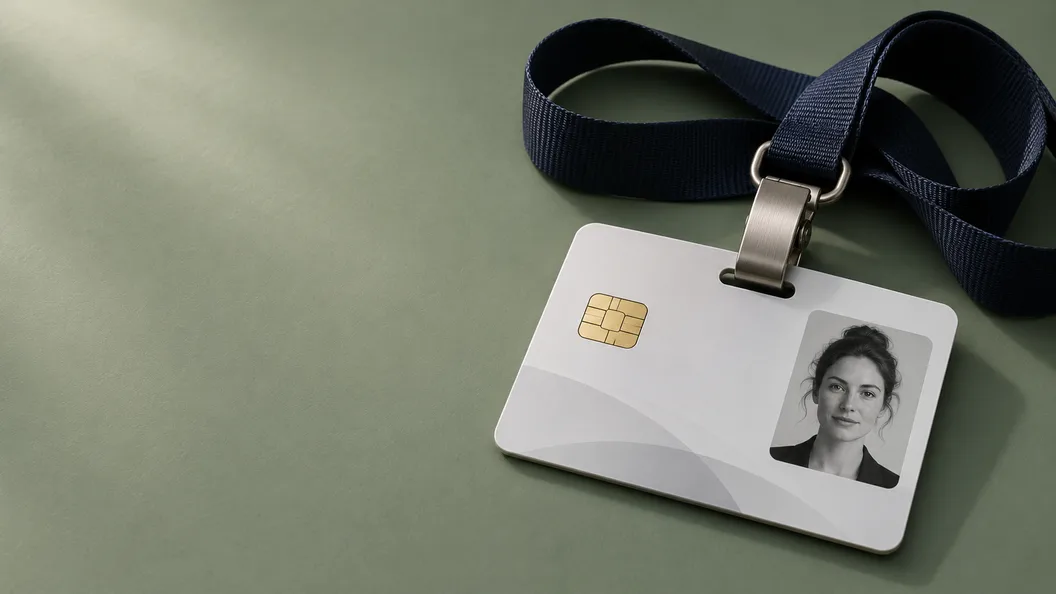
Run checks on systems the way an employee would, with its own user and only the rights it needs. Every step is recorded for your audit.
Tjess works on your behalf, in your own accounts and at a human pace. You decide what it does, and where.
Using Tjess
There is nothing to integrate, build or install. Even people who are not technical simply give Tjess a task, the way they would ask a colleague or housemate.
Tjess
Waiting for your approval
Approval needed
Shall I place this order for €79?
Connect the box to your laptop or desktop. Nothing needs to be installed on the computer itself.
Open the Tjess app in your browser. You can also install it on your phone. Send your request through the app or over Signal to get updates and the result.
You can see it at work on the screen and get short updates along the way. It works in your own accounts, with the permissions you give it.
If Tjess gets stuck, show it the task on your computer. You might show it how to download a monthly report from your accounting software. Next time, Tjess can follow your steps.
Create a separate account for Tjess on your computer, just as you would for a new colleague. That way you decide which programs it can use and how many rights it has: more where it helps, fewer where it should.
Tjess works with several AI models. Use your own key or account with your AI provider: you choose the model, and you pay for the usage directly to them.
Second life
Have a spare laptop in a drawer? If its operating system and browser still receive security updates, you can use it for Tjess. That puts the laptop back to work while you carry on using your own computer.
The product
Most AI agents live on someone else’s servers. Tjess lives with you: in a calm, square box next to your computer. From there, it uses that computer the way you do.


Midnight, silver, graphite
13 × 13 cm
Small enough to sit next to any screen. You forget it is there, until the work is done.
For your laptop or desktop
Windows, macOS or Linux: Tjess operates your computer the way you do. Nothing needs to be installed on it.
What’s inside?
We are keeping that to ourselves a little longer. Pilot participants will see it first.
Join the pilotAll product images are artist impressions based on the prototype. Finish and colours are not final.
Why physical
AI agents are going to do a lot of work, for people and for companies. That is why it matters who they belong to.
AI is going to have enormous influence over your data, your choices and your life. Yet the biggest agents today, for consumers and for businesses, belong to someone else. Their interests are not yours. The smarter AI gets, the more that matters: an agent that is not loyal to you will, sooner or later, play you.
Against that stands a huge opportunity. Nobody asks a hundred hotels for a quote; it takes far too long. So we go through booking sites, which take a healthy cut. An agent can approach those hundred hotels directly. Direct contact between customer and provider can make the market fairer and bring prices down. The same goes for food delivery, travel, going out and much more.
The companies that profit from being the middleman will fight back. More and more sites will block AI agents. So Tjess works the way you do: it operates an ordinary computer with a keyboard and mouse, on your behalf and with your account. Wherever you are welcome, your agent can get to work too.
Now imagine that same agent is owned by a platform that earns from your bookings. You know how that ends. That is why we are bringing Tjess to you: in a box you own, next to your own computer, that works for you alone.
“An agent you do not own ends up working for someone else.”
Questions
What we can already tell you.
Pilot
The prototype already operates computers in our office. We are now looking for a handful of people and companies to put Tjess into practice together. Tell us what you would hand over first.
Now
Prototypes at work in our own office.
Next
Pilots with a handful of people and companies.
After that
Tjess for everyone who wants to spend less time behind a screen.